- Licensed security installer, Epping VIC
- Open 7:30am to 6pm

Menu
- Licensed security installer, Epping VIC
- Open 7:30am to 6pm
Four things set it: the hard drive, and three things that decide how fast it fills. Most of the home security cameras we install record to a 2TB or 4TB drive.
01
The size of the hard drive
A bigger drive holds more days. A 4TB drive holds about twice what a 2TB drive holds.
02
How many cameras
Every camera writes to the same drive, so twice the cameras means about half the days.
03
Their resolution
An 8MP picture holds more detail than a 6MP one, so it takes up more of the drive.
04
All the time or on movement
A camera set to record all the time fills a drive faster than one that records only when something moves.
Going by one supplier’s figures, four 6MP cameras recording all the time fill a 2TB drive in about 11 to 12 days and a 4TB drive in about 23.
| Recording all the time | About this much a day | On a 2TB drive | On a 4TB drive |
|---|---|---|---|
| Four 6MP | 170GB | 11 to 12 days | 23 days |
| Eight 6MP | 340GB | 6 days | 11 to 12 days |
| Four 8MP | 230GB | 9 days | 17 days |
Rough figures, never guaranteed. The top row’s days are the supplier’s, and the daily figure is worked back from them (2TB is 2,000GB). The other rows follow: twice the cameras, half the days. The 8MP row is an estimate: 8MP has a third more pixels than 6MP, so about a quarter fewer days. Settings and how busy the view is also move the number.
The recorder records over the oldest footage first, so the drive always holds your most recent days. Nothing needs to be deleted by hand.
That also means nothing stays for good. Anything you want to keep has to be saved off the recorder before the drive comes back around to it.
Two changes do most of the work, and each has a trade-off.
The simplest way
A larger hard drive
Going from 2TB to 4TB keeps about twice as many days with the same cameras and settings.
Stretches any drive
Record only on movement
The recorder saves footage when something moves, so quiet hours take up no room.
A larger drive is one of our camera system upgrades. If you are buying new, the hard drive is one of the choices on CCTV packages and prices.
Save it before the drive records over it. Menus vary by brand and app version.
1
Find the moment
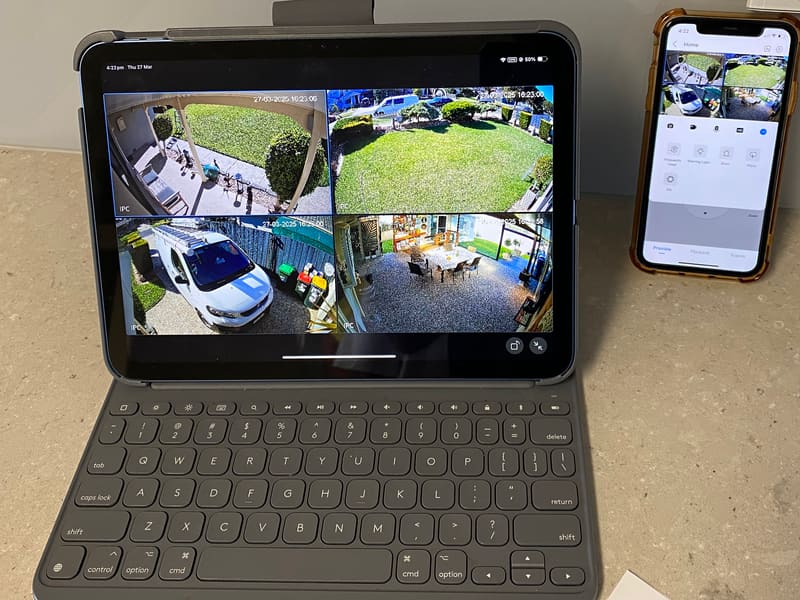
Open playback in the app or on the recorder. Pick the camera, day and time.
2
Mark the clip
Dahua’s DMSS app uses a scissors icon to set the start and end. Hikvision’s Hik-Connect uses a clip icon and sliders.
3
Save a copy
DMSS files it in Me, then My Files. Hik-Connect files it in More, then Pictures and Videos. Save it to your phone from there. At the recorder, export it to a USB stick.
Our guide to CCTV laws in Victoria covers what you can do with it.
A business that needs more than a home’s 10 to 20 days gets a larger drive. The target usually comes from a licence condition, or from how long a problem takes to surface, such as stock missing at a monthly count.
| Site | How long to keep footage |
|---|---|
| Venue whose liquor licence requires cameras | At least 4 weeks |
| Gaming machine area of a gaming venue | At least 28 days |
| Other businesses | We found no general minimum. Victoria Police suggests a recorder with room for 30 days |
We ask about this when quoting business CCTV.
Yes. 8MP footage takes more room than 6MP, so the same drive holds fewer days. In the example above, four 8MP cameras on a 2TB drive hold about 9 days against 11 to 12 for 6MP.
If you choose 8MP and want to keep your days, step up to the larger drive. Colour night vision is a separate choice, and our guide to colour night vision cameras explains how it works.
Roughly, yes, with the same cameras and the same settings. In the worked example above, four 6MP cameras go from about 11 to 12 days on a 2TB drive to about 23 on a 4TB drive.
Yes. Footage is stored on the hard drive in the recorder, which sits in your home, so recording carries on. Only viewing on your phone needs the internet. When it comes back, the footage recorded in the meantime is there to watch.
Open playback and look at the calendar. Dahua’s DMSS app and Hikvision’s Hik-Connect both mark the days that hold footage, so the earliest marked day is how far back you can go. It moves forward as the drive records over old footage.
Tell us the suburb and what you need, and we’ll get back to you with a price.
Tell us where you are and what you need. Photos help if you have them.
We only use your details to reply about your quote. Read our privacy policy.